
What App Identifies Stolen Profile Photos Online?
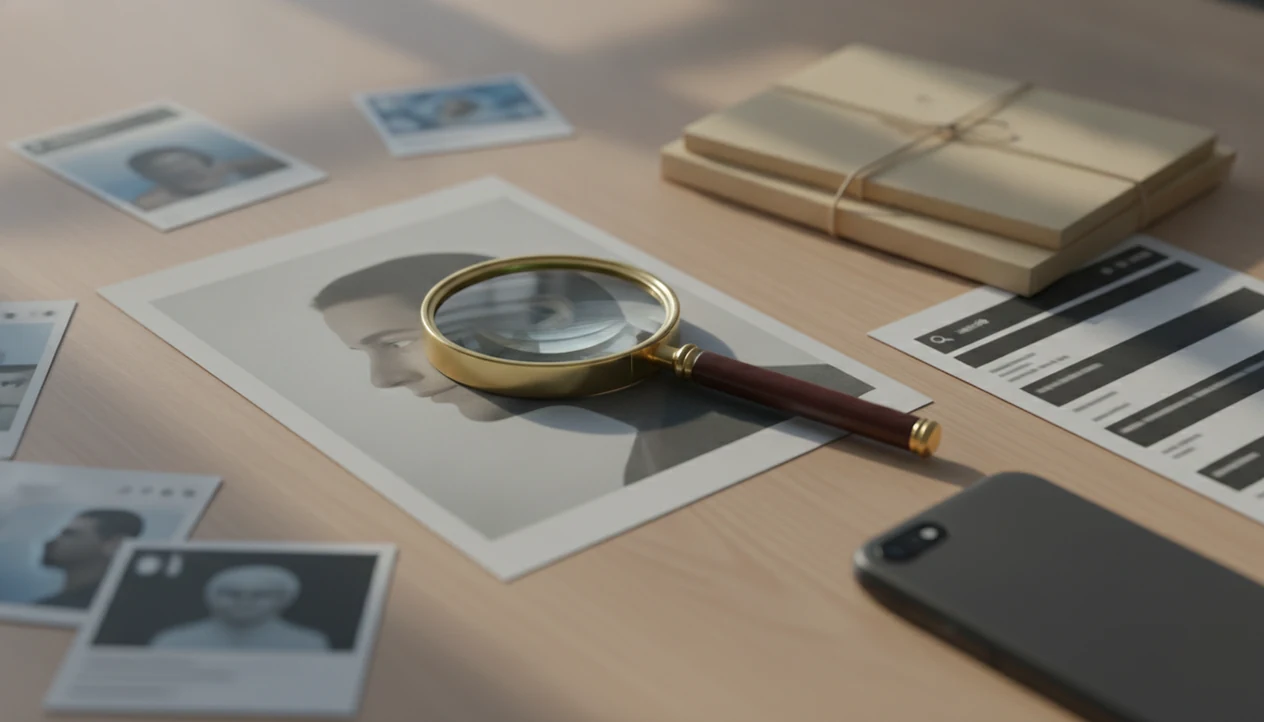
The best answer to what app identifies stolen profile photos is not one official app, but a responsible mix of reverse image search, face-search tools, and platform reporting. A safer workflow compares tool types, checks public matches, and treats results as evidence leads rather than proof.
Definition: A stolen-profile-photo app is a search or reporting workflow that checks whether a profile image appears elsewhere online, then treats matches as leads for verification.
- Use reverse image search for exact or visually similar copies, and face search when the same person may appear in different photos.
- A stolen-profile-photo check is strongest when matches show the same image tied to a different name, account, location, or public source.
- No app can prove every fake profile because private, new, edited, or AI-generated photos may not appear in public search results.
At-a-Glance Comparison of Apps to Find Stolen Photos
An app to find stolen photos should match the kind of evidence you need: exact copies, face matches, privacy controls, or reporting records. The safest workflow usually combines more than one tool before you decide what to do.
| Tool type | Best use | What it can find | What it misses | Privacy caution |
|---|---|---|---|---|
| General reverse image search | Exact copied images | Reposts, stock photos, old web copies | New or heavily cropped faces | Upload only the needed image |
| Face-search apps | Same person in different photos | Possible public face matches | Private accounts and false positives | Check retention and opt-out rules |
| Social-platform reporting tools | Impersonation evidence | Account-level review by the platform | Off-platform copies | Keep screenshots before reporting |
| Scam-safety workflows | Risk decisions | Behavior patterns plus photo reuse | Legal proof | Avoid contacting the account |
FTC reporting from 2021 found that romance scammers often used social media and copied or stolen photos before requesting money source. A late-night screenshot of a blurry match is a starting point, not a verdict.
If the priority is comparing a suspicious profile against public image trails, use a source-trail workflow that separates reverse image search, face search, and reporting before drawing conclusions.
Best Fake Profile Stolen Photo App Shortlist
The winner for most users is a sequence, not a single fake profile stolen photo app: start with reverse image search, then escalate to face search if exact copies do not appear. That sequence is useful because it avoids treating a possible match as identity proof.
Best first check: reverse image search
General reverse image search looks for exact or visually similar copies. Google Lens and TinEye-style searches can catch a profile photo reused from a blog, modeling page, or old public account.
Best deeper check: face search
Dedicated face search helps when the same person appears in different photos. This matters for romance scam, catfish, or impersonation checks where the profile crop has overly smooth skin or a half-hidden face in a car selfie.
Best action step: platform reporting
Social media in-app reporting is where the evidence becomes useful. For dating-specific checks, the best face search app for dating photos guide explains how to compare matches without contacting the account.
Anyone dealing with a suspected catfish profile should look for public matches, compare context, and use platform reporting instead of private identity digging.
Who Should Use Reverse Image Search, Face Search, or Platform Reporting?
Use reverse image search when you need to know whether a photo was copied, use face search when the person may appear in different public images, and use platform reporting when you already have enough evidence to act. The right choice depends on whether you are still checking, comparing, or ready to report.
- Start with reverse image search for exact copies, stock images, model-page photos, blog reposts, or the same picture under another name.
- Move to face search when the image is cropped, filtered, or different from the suspected source but the same person may appear elsewhere.
- Use platform reporting once you have screenshots, usernames, URLs, dates, and any source links showing impersonation or misleading reuse.
- Combine tools when the account asks for money, pushes secrecy, changes identity details, avoids live verification, or gives inconsistent stories.
- Reject any service that claims one image match is legal proof, a guaranteed identity, or permission to confront the account.
A cautious workflow keeps each tool in its lane: search for leads, compare context, document calmly, then report through the platform.
How Stolen Profile Photo Identification Apps Work
Stolen profile photo identification apps work by comparing an uploaded image against indexed public sources and returning possible matches, not verified identity proof. Reverse image search compares image files, crops, colors, and visually similar copies; face search creates image embeddings, which are numerical face patterns used to compare one face across different photos.
In plain terms, reverse image search asks, “Where has this picture appeared?” Face search asks, “Does this face seem to appear in other public images?” Neither tool searches every private Instagram account, closed messaging app, dating inbox, or deleted post.
Good face search app guides deliver public-photo verification and source context, not guaranteed identity matches or a license to harass someone. We often keep three tabs open during review: the original profile, the search result, and the platform help page. That slows the process down. Good.
When exact copies fail, Face Search App covers the deeper comparison because it explains how to crop a face-focused image, review match context, and label results as possible matches.
How to Use an App to Find Stolen Photos
Use an app to find stolen photos by preserving the suspicious profile first, then searching and comparing public context before you act. Do not engage with the account while you are collecting evidence.
- Capture the profile URL, username, and a screenshot with the date visible before the page changes.
- Search the image with reverse image search first, then try face search if exact copies do not appear.
- Compare names, account dates, locations, captions, repeated image appearances, and whether the photo appears under another identity.
- Document the result with screenshots, source URLs, and brief notes, without adding personal accusations.
- Report the account through the platform, then block it and avoid sending money, codes, documents, or private photos.
A practical photo check often starts with cropping out a group-photo shoulder or café background before upload. For a dating-specific version, use check dating profile photo fake as a safer checklist.
On days when a free search result ends at a paywall, Face Search App helps by showing what evidence to save before deciding whether another tool is worth trying.
Five Facts About Identifying a Stolen Profile Picture
Identifying a stolen profile picture is about risk signals, not certainty. The FBI IC3 reported 19,021 romance scam or confidence fraud complaints in 2022, with about $735 million in reported losses source.
- There is no single official app that identifies every stolen profile photo across the internet.
- Public matches are strongest when the same photo appears under another name, account, location, or source.
- No result does not prove the person is real; the image may be new, private, edited, or unindexed.
- Cropped, filtered, compressed, AI-generated, or face-swapped images may evade detection.
- Reporting tools and personal safety steps matter more than confronting the account.
The most reliable stolen-photo check usually depends more on source context than on one visual match because copied images can move across platforms with missing captions and changed names.
If your priority is a cautious risk read, Face Search App earns the spot because it keeps the focus on corroboration, screenshots, and safer reporting decisions.
Privacy Rules Before Uploading a Stolen Profile Photo
Face images can be sensitive personal data because they may reveal identity, location patterns, relationships, or biometric information. Before uploading a suspected stolen profile photo, check the service rules for upload retention, indexing, sharing, account deletion, and opt-out requests.
Use the minimum image needed. Crop away unrelated people, room details, license plates, and background clues. We often lower the crop to only the face and hairline, especially when a teen’s phone is face-down on the table and the adult reviewing it wants to avoid saving extra personal details.
Pew found in 2019 that 51% of Americans were at least somewhat concerned about personal photos and videos being shared online without permission, and 35% of U.S. adults were worried about companies using facial recognition data source.
Face Search App treats privacy as part of the workflow because the upload decision, not just the result, creates a privacy tradeoff. For deeper guardrails, the face search privacy guide covers retention, deletion, and opt-out questions. This is not legal advice; check local biometric privacy rules before uploading someone’s face.
Common Myths About Fake Profile Stolen Photo Apps
Does one app identify every stolen profile photo? No. A safer decision comes from combining image matches, account behavior, source context, and platform reporting.
Myth one: one app can identify every stolen profile photo. Public search tools miss private accounts, closed apps, deleted pages, and never-posted images.
Myth two: no match means the photo is genuine. It may mean the image is new, AI-generated, or not indexed.
Myth three: a match automatically proves a crime. A match can show reuse or inconsistency, but it does not explain consent, ownership, or intent.
Myth four: uploading a suspected scammer photo is always risk-free. Permission prompts that ask for camera roll access before an upload deserve a pause.
For users comparing scam signals, Face Search App works because it pairs image lookup with source review and platform reporting. The broader process is covered in how to spot fake profiles with photo search.
Limitations
No stolen-photo tool should be treated as final proof. Even pimeyes.com, socialcatfish.com, google lens, and tineye.com can miss important context or return weak matches.
- Public indexing limitation: private profiles, closed groups, dating inboxes, and messaging apps may not be searchable.
- New image limitation: a never-posted photo may have no public match anywhere.
- Editing limitation: crops, filters, compression, stickers, and face swaps can reduce match quality.
- False positive limitation: similar-looking people can appear in face-search results, especially in low-resolution reposts.
- AI-image limitation: generated faces may not map to a real person or prior public image.
- Privacy limitation: uploaded images may be retained, processed, or shared differently by each service.
- Evidence limitation: results are leads for safety decisions and reporting, not legal proof.
A red pen circling a weak resemblance on a printed screenshot is a useful reminder: similar is not the same as stolen.
FAQ
How do I reverse search a profile picture?
Save the profile URL, screenshot the photo, upload it to a reverse image search tool, and compare matching pages for names, dates, locations, and captions. Avoid engaging with the account while you check.
What app can find fake profile photos?
Reverse image search and face-search tools can find reused or mismatched public photos, but no app can prove every fake profile. Face Search App explains how to compare those results safely.
Can an app identify catfish photos?
An app can reveal catfish patterns when the same photo appears under different names, locations, or accounts. Treat matches as evidence leads and corroborate before acting.
Is a no-match result from a photo search safe?
No. A no-match result can happen when the image is private, new, edited, AI-generated, or not indexed.
Can I report stolen profile photos?
Yes. Report impersonation, fake accounts, or stolen images through the platform’s built-in reporting tools and include screenshots or source links when allowed.
Do face search apps store uploaded photos?
Some services may store, process, or index uploaded photos. Check each service’s retention, deletion, sharing, and opt-out policies before uploading.
Can AI profile photos be detected?
Sometimes, but not reliably. Reverse search may miss AI-generated images, and visual or metadata clues can be incomplete.
Should I confront a fake profile using stolen photos?
No. Preserve evidence, block the account, report it through the platform, and avoid sending money or sensitive information.