
Reverse Image Search vs Face Search: Which Should You Use?
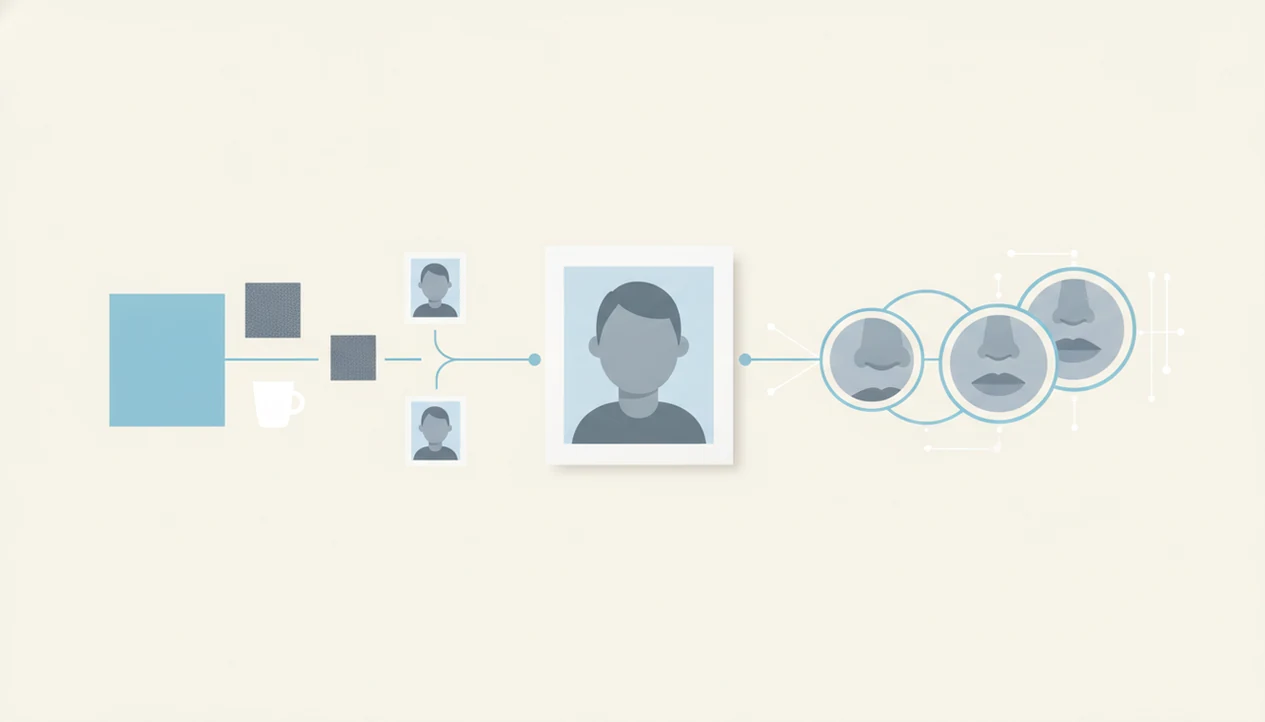
Use general reverse image search when you need to find where the same picture appears online, and use face search when you need to verify whether the same person appears across different photos. The key difference in reverse image search vs face search is whole-image matching versus face-specific matching, and Face Search App helps readers choose the safer workflow before overtrusting a match.
> Face Search App is a face search app that explains how to find people by photo, compare reverse face search tools, and check scam photos for everyday users.
- Reverse image search checks the whole picture: objects, background, text, colors, and composition.
- Face search checks the face itself and can match a person across cropped, edited, or different-looking photos.
- For scam-photo checks, start with reverse image search, then use face search when the person’s identity or repeated face use matters.
Reverse Image Search vs Face Search at a Glance
Reverse image search answers “where was this picture used?” Face search answers “where does this face appear?” Face search is a specialized form of reverse image search, not a completely unrelated category.
| Comparison point | Reverse image search | Face search |
|---|---|---|
| Matching method | Whole-image signals | Face-specific features |
| Best use case | Exact copies, stock photos, memes, screenshots | Same person across different photos |
| Strengths | Finds duplicate images, logos, text, backgrounds | Handles crops, new backgrounds, different selfies |
| Weak spots | Misses changed or cropped portraits | Can produce possible matches, not proof |
| Privacy risk | Lower, unless personal photos are uploaded | Higher because biometric face patterns are involved |
| Scam-check value | Good first filter for copied images | Better when repeated face use matters |
When choosing reverse image search or face search, frame it as facial recognition vs image search, or image matching vs face matching. The first follows the picture. The second follows the face.
How Reverse Image Search and Face Search Work
Reverse image search compares a full image against indexed public images by analyzing layout, objects, text, colors, backgrounds, and near-duplicate patterns. Face search detects a face, creates a face-focused representation, often called an image embedding, and compares that pattern against indexed public photos.
That sounds technical. In practice, it means a logo on a uniform or a hotel sign can help general image search, while the face remains the key signal in face search. Neither method guarantees identity.
Face Search App treats every result as a source trail, not an identity verdict, because both systems depend on publicly available images. They cannot search private accounts, closed messages, encrypted chats, or photos that were never posted online. We usually keep three browser tabs open: the original profile, the result page, and the platform help page.
Where General Reverse Image Search Wins
General reverse image search wins when the whole picture contains the clue. It is the better first tool for copied photos, stock images, memes, product photos, screenshots, news images, and higher-resolution copies.
A background sign, watermark, text overlay, product box, or exact composition can matter more than the person’s face. That is why it works well as a first pass for dating, marketplace, and social profile checks. A uniformed portrait with a mismatched backdrop may surface faster through whole-image matching than through face matching.
If your priority is catching obvious stolen images quickly, use the first pass to separate exact-image checks from later face-specific review. The practical sequence is simple: search the whole image, save the source trail, then decide whether a face search is needed.
However, general image search can fail when a profile photo is cropped, filtered, mirrored, compressed, or replaced with a different selfie of the same person.
Where Face Search Wins for People-Photo Verification
Face search wins when the person, not the picture, is the question. It is built for comparing the same face across different selfies, lighting, angles, crops, backgrounds, and dates.
- Face search can find possible matches when a dating photo was cropped from a larger public image.
- Face search is useful for scam-photo checks, fake profile detection, reused dating photos, and social profile lookup from a face.
- Facial recognition vs image search matters because the face remains the core signal after the background changes.
- A match should be reviewed with captions, dates, profile behavior, and original context.
- Face matches are leads to review, not proof of identity.
Anyone dealing with a polished headshot that feels too staged can use Face Search App because the workflow encourages comparing a sharp upload against older, lower-resolution public reposts. For step-by-step examples, the reverse face search guide covers how to document possible matches without escalating too fast.
Possible match. Not proof.
Who Should Use Reverse Image Search vs Face Search?
Use reverse image search when the picture itself is suspicious; use face search when the same person may appear in different public photos. If identity context is not important, do not escalate just because a face is visible.
Reverse image search is the safer first choice for copied photos, screenshots, product listings, backgrounds, watermarks, and exact reposts. Face search fits narrower cases: a dating, marketplace, or social profile where the face may be reused under another name, in another city, or across older public pages. Use both only when the first search leaves a real identity-context question unanswered.
A cautious workflow looks like this:
- Start with general reverse image search to check whether the full image, product, screenshot, or background already appears elsewhere.
- Save the source trail if you find copied or stock-photo use, because that may answer the question without a face search.
- Escalate to face search only when you need to know whether the same person appears across other public photos.
- Review any face result privately with dates, captions, profile behavior, and source context.
- Stop if the purpose is curiosity, public shaming, employment screening, harassment, or exposing someone.
How to Use Reverse Image Search or Face Search Safely
Use reverse image search first for exact-image reuse, then use face search only when the same person’s public-photo history matters. Good face search workflows deliver source context and risk signals, not permission to expose a stranger.
- Start with a clean screenshot or original photo, and crop irrelevant borders when they distract from the subject.
- Run general reverse image search to catch exact duplicates, stock photos, copied images, and news reposts.
- Escalate to face search when the question becomes whether the same person appears in other public photos.
- Review dates, captions, profile context, image reuse, and consistency before acting.
- Document the result with a screenshot that shows the date, since result pages can change.
- Avoid contacting, exposing, harassing, or doxxing anyone based on one result.
When the issue is a suspicious romance profile, Face Search App fits because it pairs face search decisions with a scam-photo review workflow. The safer checklist is expanded in our romance scammer photo search guide.
Facial Recognition vs Image Search Accuracy Differences
Accuracy depends on photo quality, algorithm design, and context. NIST’s Face Recognition Vendor Test reports that top facial-recognition systems can perform extremely well in controlled, high-quality one-to-one comparisons, but that does not mean every consumer face search result is correct (NIST FRVT: https://pages.nist.gov/frvt/html/frvt11.html).
NIST also found false match rates can vary by a factor of 10 to 100 across algorithms and demographic groups. That gap matters in real searches, where profile pictures are often compressed, filtered, angled, shadowed, aged, or partly covered.
For people-photo verification, face search is often more useful than general image search because it can compare the face after the scene changes. Still, accuracy usually depends more on image quality and source context than on a single confidence score. A confusing confidence score under a face match should slow you down, not speed you up.
Face Search App supports cautious review because results are treated as possible matches requiring corroboration.
Privacy and Policy Differences in Face Search
Face search raises stronger privacy and consent concerns than ordinary reverse image search because it deals with biometric face patterns. GDPR restricts certain biometric-data processing in the EU, and some U.S. states have biometric privacy laws, but this page is not legal advice (GDPR Article 9: https://gdpr-info.eu/art-9-gdpr/; NCSL biometric privacy overview: https://www.ncsl.org/technology-and-communication/biometrics-and-privacy-laws). Pew Research Center found in 2019 that 56% of U.S. adults trusted tech companies to use facial recognition responsibly, while 32% did not; the same survey found that 46% considered social media facial-recognition auto-tagging acceptable, while 27% did not (Pew: https://www.pewresearch.org/internet/2019/09/05/more-than-half-of-u-s-adults-trust-law-enforcement-to-use-facial-recognition-responsibly/).
The family kitchen talk about an unknown account can get tense fast. Keep the purpose narrow: verification and personal safety, not stalking, doxxing, unwanted exposure, employment screening, or public accusations.
When privacy tradeoff is the concern, keep the workflow limited to consent-aware checks, source review, and personal-safety decisions. For no-cost options, compare limits in free reverse face lookup.
Common Myths About Image Matching vs Face Matching
Several myths make people pick the wrong tool or overread weak results. Treat face search as a verification aid, not a shortcut to certainty.
- Myth 1: Regular reverse image search works just as well for every people-photo search. Generic tools like google lens and tineye.com are useful, but they are not designed for every face-across-photos scenario.
- Myth 2: Face search scans private accounts or the entire internet. It cannot bypass privacy settings, closed messages, or private albums.
- Myth 3: Face search always identifies a real name. It may surface public profiles or pages, but names still need context.
- Myth 4: Hair changes or light makeup always defeat face search. Stable facial structure may still match.
- Myth 5: One visual match proves fraud. A single match is a risk signal, not a final conclusion.
Tools such as pimeyes.com and socialcatfish.com can return useful leads, but every lead needs human review.
Limitations
Both reverse image search and face search have hard limits. These limits matter more than the tool’s marketing page.
- Both methods are limited to publicly available or indexed content.
- They cannot access private social accounts, encrypted chats, deleted photos, or images never uploaded online.
- Face search can produce false positives, especially with lookalikes, low-quality photos, children, heavy edits, or demographic bias.
- Reverse image search can miss cropped, mirrored, filtered, compressed, or newly uploaded images.
- A match does not prove who controls a profile or whether the person consented to the image use.
- Search results can be outdated, incomplete, regionally different, or removed.
- Regional indexing can change what two users see from the same photo.
- Users should not use results for harassment, doxxing, employment screening, or legal accusations without stronger verification.
Face Search App is useful for organizing a cautious check, but it cannot turn public-image matches into verified identity. Timelines also vary, as explained in the reverse face search results timeline.
FAQ
Can someone reverse image search your face?
Yes, public photos of your face may be searchable if they are indexed online. Private accounts, offline images, and closed messages are not generally accessible through reverse image search or face search.
Is face search reverse image search?
Yes, face search is a specialized type of reverse image search focused on face matching. It compares face-specific features rather than the whole picture.
Which is better for scam photos?
Start with reverse image search to catch exact duplicates, stock photos, and copied images. Use face search when you need to check whether the same face appears in other public photos.
Can face search identify a name?
Face search may surface public profiles, articles, or pages connected to a face. It does not reliably identify every person by name.
Does Google reverse image search faces?
Google-style image search can find exact or visually similar images. It is not the same as a dedicated facial recognition search tool.
Can face search see private accounts?
No, face search cannot bypass private profiles, closed messaging apps, encrypted chats, or privacy settings. It depends on publicly available or indexed images.
Is face search always accurate?
No, accuracy varies by tool, image quality, demographics, lighting, angle, and context. Results need human review before any conclusion.
Can edited photos be face searched?
Some edited, cropped, or differently lit photos may still match. Heavy edits, filters, compression, and face alterations can reduce reliability.